
Tracking Provider Signature Status
07.04.2026
Administration, Notes & Forms, Reports, Support Posts
The Encounters report can also be used to track signature status of forms
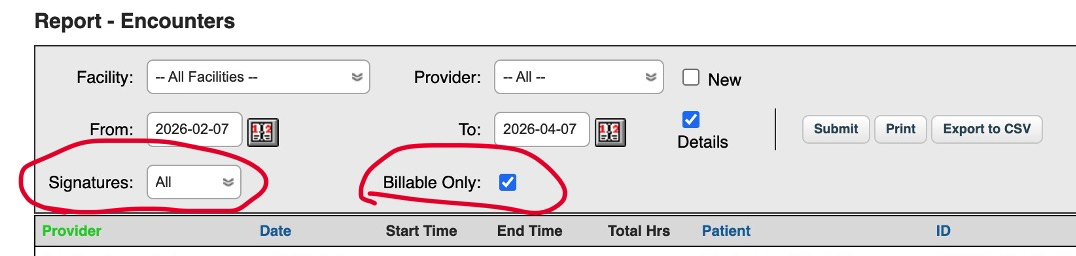
These two options will filter your list of encounters based on the signature status and/or whether the Encounter has a billable form (i.e. a form with billing codes) on it.
- Check the Details box to see specific details of the Encounters
- In the Signatures dropdown, choose if you’d like to see:
- All – All Encounters
- Signed – Encounters with the form signed
- Unsigned – Encounters where the form is unsigned.
- Use the “Billable” checkbox so you only see encounters that have billable forms on them.
A billable form is one that has the billing code box in it and enables providers to charge insurance payers or clients.