
Disable the Google Chrome Pop-Up Blocker for BreezyNotes.com
04.01.2016
Administration, Support Posts
If you are uploading Electronic Remittance Advice (ERAs) from Office Ally, you will need to disable Google Chrome’s Pop-Up Blocker. To do this:
- Click the menu button:

- Click Settings
- Click Privacy and security
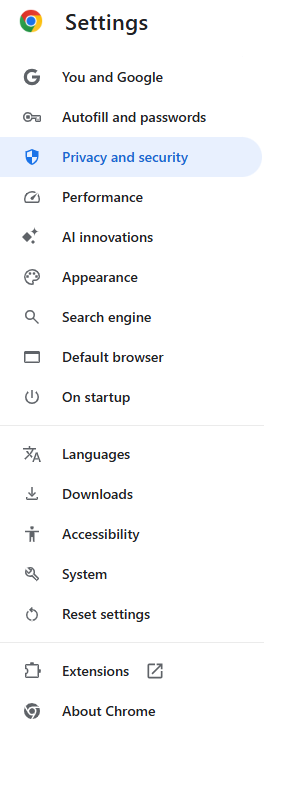
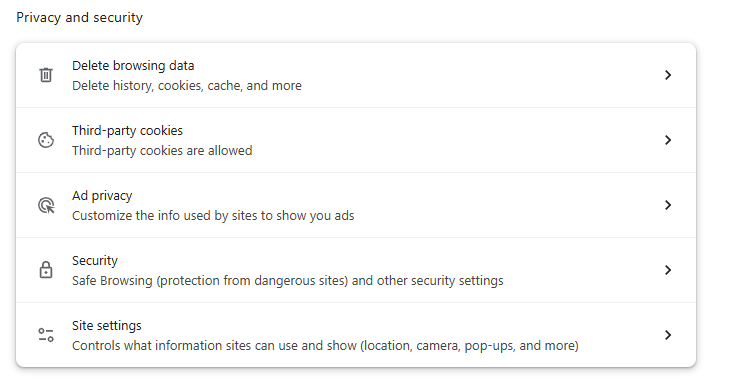
- Under “Privacy and security” click the “Site settings” settings button.
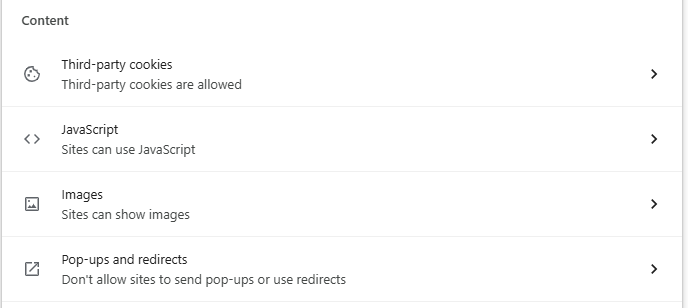
- Under “Content,” click Pop-ups and redirects.
- In the “Allowed to send pop-ups and use redirects” section click Add, and paste https://[*.]breezyehr.com:443 into the pop-up
- Click Done